
Mapping Is No Longer Enough: Move to QHSE Processes That Actually Run
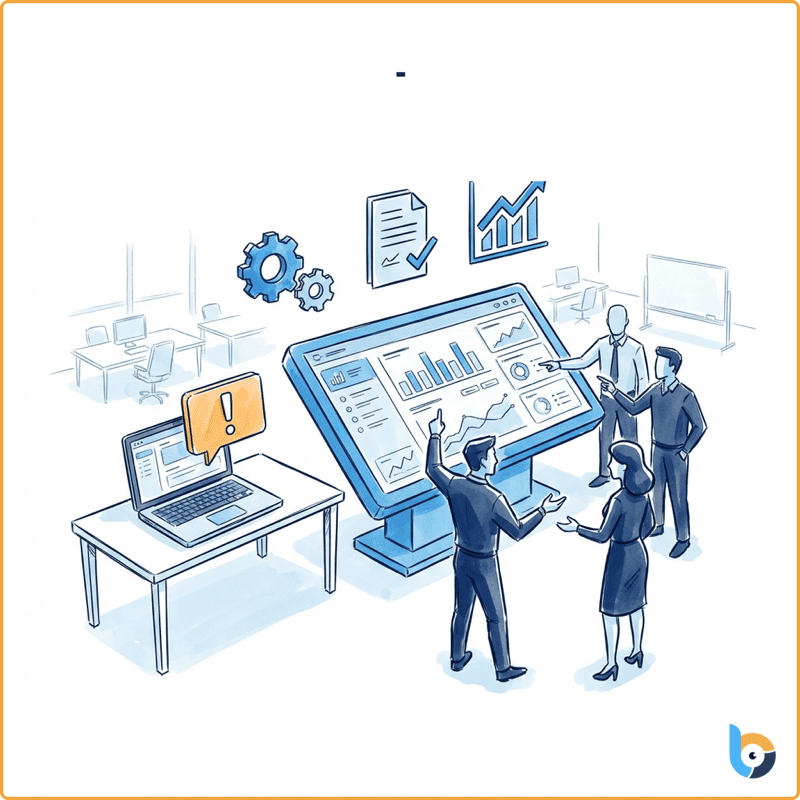
A map on the wall has never handled a single nonconformity
You have seen it a hundred times: the flowchart for the “Nonconformity handling” process, laminated, signed, dated, pinned up in the quality room. Beautiful. Except on Tuesday at 4 p.m., when an operator spots a defect on a line, that diagram does nothing. It assigns no one, reminds no one, proves nothing. The real handling happens elsewhere: an email to “whoever it concerns,” a shared Excel file, a sticky note on the manager’s screen — and three weeks later, the ritual question: “by the way, that nonconformity from the 12th, where are we on it?”
That is the core problem of most QHSE approaches: processes have been mapped but never made to run. The diagram describes how things should happen; reality lives in inboxes and spreadsheets. The gap between the two is exactly what an auditor will find — and what costs you hours of consolidation before every management review.
The good news: there is a sharp, concrete difference between a static BPMN diagram and an executable BPMN engine. Understanding that difference is understanding why some organizations spend hours “tracking” their processes while others simply let them… run.
Static BPMN vs executable BPMN: same notation, two worlds
BPMN (Business Process Model and Notation) is a standardized language for describing a process: tasks, decisions (the famous diamonds), roles, sequences. It has become the standard, and that is a good thing. But beware the misunderstanding: drawing a BPMN does not make it alive.
- A static BPMN is a drawing. It documents. It serves to train, to explain, to pass a documentation audit. Once printed, it never changes and triggers nothing. It is a snapshot of your intent.
- An executable BPMN is the same drawing, but wired to an engine that runs it. Each task in the diagram becomes a real task, assigned to a person, with a due date and a form. Each decision diamond automatically routes the case to the right next step. Each delay fires a reminder. It is a film, and you are in it.
This is exactly Betterfly’s stance: an executable BPMN engine. We don’t just map your processes — they run. Concretely, that means:
- assigned tasks: each step lands in the right person’s list, not in a buried email;
- embedded forms: information is captured inside the step, structured, not as a loose attachment;
- automatic reminders: the deadline approaches, the system nudges — you stop chasing people by hand;
- approvals: validation is a step in the process, not a signature you go hunting for;
- real-time tracking: at any moment, you see where each case stands, who holds it, and for how long.
The formula that sums up the positioning: neither a chatbot nor a checklist app. A chatbot talks but commits nothing. A checklist ticks boxes but moves nothing forward on its own. An executable BPMN engine carries the work end to end.
Example 1 — Handling a nonconformity
Back to our defect spotted on Tuesday at 4 p.m. Here is what an executable engine changes.
The operator opens a “Nonconformity” instance from their station and fills in an embedded form: nature of the defect, location, severity, photo. On submission, the engine doesn’t just record — it routes: based on the severity entered (the decision diamond), the case goes to the right site’s quality manager, who immediately sees an assigned task in their list, with a due date.
The manager qualifies the nonconformity, launches a root-cause analysis, and plans a corrective action with an owner and a date. That owner gets their task. If they miss the deadline, a reminder fires automatically — no more chasing anyone. Once the action is closed, the process requires an effectiveness check before closure: a human validation point, not a button you tick to make it go away.
And on management-review day? You consolidate nothing. Real-time tracking already gives you the number of open nonconformities, by site, by severity, and the average handling time. The question “that one from the 12th, where are we?” has a one-click answer — with the dated history of every step.
Example 2 — Running an internal audit
An internal audit program is typically where static mapping gives up. The process is known — plan, notify, conduct, write up, follow up on findings — but its execution scatters across calendars, Word templates, and verbal reminders.
With an executable engine, the annual program breaks down into instances: for each planned audit, the engine assigns preparation to the auditor, notifies the auditee, and surfaces the right finding form on the day. Findings don’t end up in a report you archive: each becomes an assigned action with an owner and a due date, exactly like a nonconformity. The loop closes on its own.
Here the operations director gains what is most often missing: visibility. How many planned audits actually completed this quarter? How many findings still open, and with whom? Real-time tracking answers without an assistant spending the week chasing by phone. And the external auditor finds a clean audit trail: who did what, when, with what evidence.
Example 3 — The document lifecycle
A QHSE document — a procedure, an instruction, a form — is not a frozen file. It is born, reviewed, approved, published, distributed, then revised. That lifecycle is a process in its own right, and probably the most mistreated: the “current version” gets lost, the draft lingers on a network share, and no one knows whether the latest revision was actually approved by the right person.
An executable BPMN engine turns this cycle into a driven process: drafting (a task assigned to the author), review, then approval by the designated validator — a clear, traced, dated step. Publication is a human validation point: the step does not clear itself, someone takes responsibility. At the review deadline, the engine reminds automatically to reopen the cycle. You always know which version is authoritative and who approved it.
Let’s be precise on one point, because honesty is part of our deal: this process drives the document lifecycle inside Betterfly — creation, validation, revision tracking. Betterfly does not (yet) offer connectors to your external document-management systems, SharePoint, or e-signature tools. If that is a prerequisite for you, tell us plainly rather than discover it later.
Let’s be honest: an engine won’t design your processes for you
Two limits to state clearly, because glossing over them is expensive.
An executable engine does not invent your process. You first have to decide how things should happen: who validates what, which decisions steer which path, which delays are acceptable. That business thinking is yours — and a well-run bad process is still a bad process, just faster. The platform faithfully executes what you defined; it does not do the design work for you.
Automating a bad process makes it worse. If your nonconformity handling is shaky on paper, running it at speed only amplifies the flaw. The engine exposes your inconsistencies — uncomfortable at first, healthy afterward. Use the move to execution to simplify, not to set a Rube Goldberg machine in stone.
And wherever Betterfly commits sensitive decisions — publishing a document, closing a nonconformity, an approval — a human validates. The engine prepares, routes, reminds, proves; it does not sign for you. It’s the same principle we apply throughout the platform: the machine proposes and proves; the human decides and commits.
What you gain, plainly
For the QHSE manager: the end of manual reminders and last-minute consolidation. Processes run, evidence accumulates on its own, and the audit file is already ready because it built itself while you worked.
For the operations director: real-time visibility into what is moving and what is stuck, across sites, without a status meeting to find out.
For the organization: the gap between the described process and the lived process closes. What you mapped is exactly what runs. Which is, in the end, the only map that matters.
Going further:
- Explore digitalizing QHSE processes with Betterfly: executable BPMN engine, forms, reminders, and real-time tracking
- Book a demonstration — bring one of your processes and we’ll run it live